I have received several emails about, after I submit my piksheet, do I receive a picks confirmation and How do I know if my picks are received. Great Questions.
There are 3 ways to check on your picks.
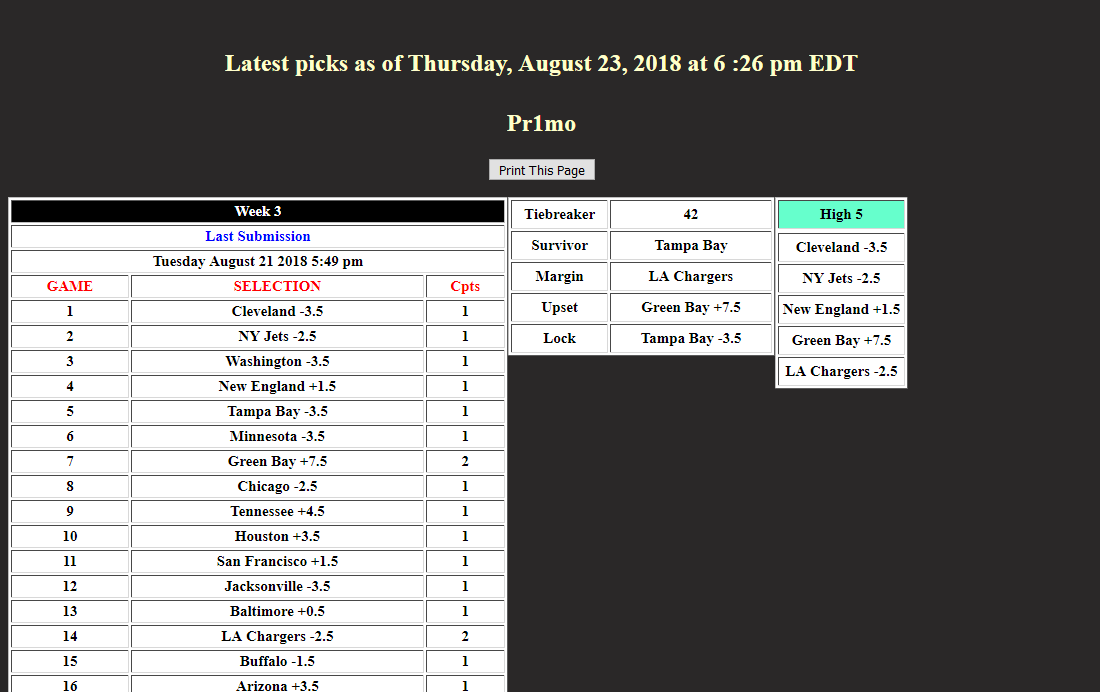
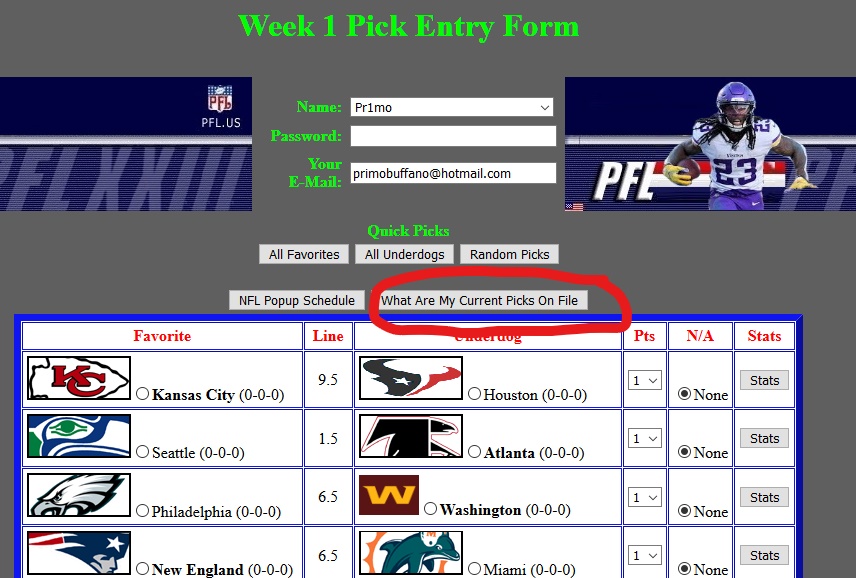
First, if you go back to your Piksheet Entry Form (I attached it to this email) just below Quick Picks there are 2 pop up buttons, one reads NFL Popup Schedule and the other What Are My Current Picks On File, if you click Picks On File a separate page will open (I attached that page to this email) your last submitted piksheet will appear, there will also be a time stamp, to show that it is the most up to date. You must type in your players name and password to open up your picks.
Second, go to our Homepage and on the navigation bar on the top, hold your mouse over the NFL Players Pages, it will drop down, hold your mouse over Picks, it will drop down and then click Picks Received it will show all the players who have submitted there picks and ( ) will show how many piksheets have been submitted so far.
Thirdly, on mobile app, go to pool pages icon on bottom of app, when that page opens up, located on the 4th line, third from the left is Players Picks Received. You will find yours and all players picks when they were submitted and how many piksheets were submitted.